

You detected a compromised password. You sent an alert. And you wait...
9 DAYS – that is the average time that elapses from the moment a compromised password is detected until an employee actually updates it.
Over a week of inaction. For more than 200 hours, access to corporate resources remains open to cybercriminals who just acquired login credentials in a leak and can operate unimpeded.
This is a behavioral problem, and no password policy in its own will solve it. Policies describe how things should be. Data from a password manager shows how things actually are.
For an IT administrator and CISO, a password manager is not merely a system for storing employee credentials. It is a data source that reflects the cybersecurity culture within the company.
Why behavioral data beats password policy?
Declarations vs. reality
Let’s return to the statistics. As many as 51% of IT managers openly admit that employees in their companies do not take cybersecurity seriously (or approach it selectively). At the same time, 43% of respondents declare they feel confident in identifying threats, and 50% state they are partially prepared for it.
This is a classic example of cognitive dissonance in IT security. Employees consider themselves aware of threats. At the same time, 37% of them admit that their actual security habits at work are risky or very risky. The conclusion? Declared knowledge does not translate into real behavioral change in front of the screen.
Training is not enough
Surveys, phishing tests, and e-learning courses measure knowledge and declared intentions. However, they do not account for time pressure in daily work, stress, or ignored notifications and updates. They will not reveal password strength or incident response times.
A password manager records this data automatically, without requiring employee involvement. The IT administrator sees what the employee actually does and can draw actionable conclusions.
What should an IT administrator monitor?
Adoption rate
How many employees actually use the password manager? Not just installed it, but actively store accounts in it and use it to log in?
A low score is an alarm bell. It indicates that a significant portion of the organization still manages passwords outside a controlled system—in browsers, Excel sheets, memory, or communicators. Every account outside the password manager is an account whose strength the administrator cannot verify.
Remember: the adoption rate is your baseline. Until you onboard users into the system, the remaining statistics will only reflect a fragment of reality.
Percentage of weak and non-compliant passwords
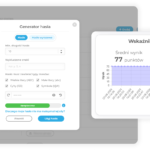
A password manager with an auditing feature evaluates the strength of every password in the system against defined criteria: length and complexity. The score at the organizational level shows the percentage of corporate passwords that meet the adopted policy.
Industry data is uncompromising – 3 out of 4 passwords are considered insecure due to reuse or an overly simplistic structure. The average password length is 9.6 characters, with a mere 0.2 special characters. If the audit in your organization shows similar proportions, it is time for a change!
Response time to breach alerts
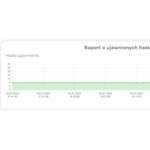
A password manager integrated with breach databases (Have I Been Pwned and similar) regularly generates alerts when an employee’s password appears in compromised data sets. The time between alert generation and the actual password update is a core metric of the organization’s reactive readiness.
The 9 days mentioned at the beginning is the average for companies that actively monitor this metric. Consider how long that timeframe is in organizations that do not use a password manager at all and remain completely unaware of the breach.
Password access anomalies
Tracking who accessed team resources, when, and from which device or location enables the detection of behavioral anomalies: logins at unusual hours, access from unfamiliar devices, or an uptick in access frequency prior to an employee’s planned departure.
In the event of an internal incident, the operation history serves as the primary data source for analysis.
From diagnosis to action: what an IT administrator can do with password manager data
Collecting data is one thing. Real value emerges when you take action based on it:
Risk segmentation and prioritization: Data from the password manager allows replacing a reactive approach to security (acting after an incident) with a proactive one (knowing where risk is highest before an incident happens). Employees with access to critical systems should be the primary targets for verification and intervention.
Targeting training at identified gaps: Generic cybersecurity training does not always address an organization’s specific issues because it provides employees with no concrete feedback regarding their personal behavior. Password manager data reverses this dynamic: instead of “everyone should use strong passwords,” it becomes “your account for system X uses a password found in a breach database and hasn’t been changed in 18 months.” Concrete feedback is substantially more effective than broad education.
Executive reporting: Data from a password manager can be translated into language the board understands without technical jargon: the percentage of non-compliant passwords represents the share of accounts vulnerable to takeover; the response time to alerts represents the attacker’s window of opportunity expressed in days. These metrics turn password security into a strategic governance topic, not just a technical one.
perc.pass features for the IT administrator
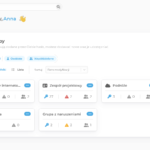
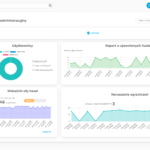
perc.pass provides the IT administrator with a centralized management console with organizational-level visibility into security metrics. The administrator sees system-wide password strength, alerts for passwords appearing in breach databases, and passwords that fail policy requirements.
System logs record every action within the system – logins, password updates, permission changes – complete with date, time, and device details. In the event of an incident, this serves as the primary data source for forensic analysis. In the event of a security audit or regulatory inspection, it provides turnkey operational documentation.
perc.pass delivers the data that bridges the gap between declared security policies and actual behavior within the organization. That is the difference between managing security and merely assuming you are secure.
*Statistics and data are sourced from the Bitwarden Business Insights Report 2025 and the Bitwarden World Password Day Survey.